Simple Scheduler
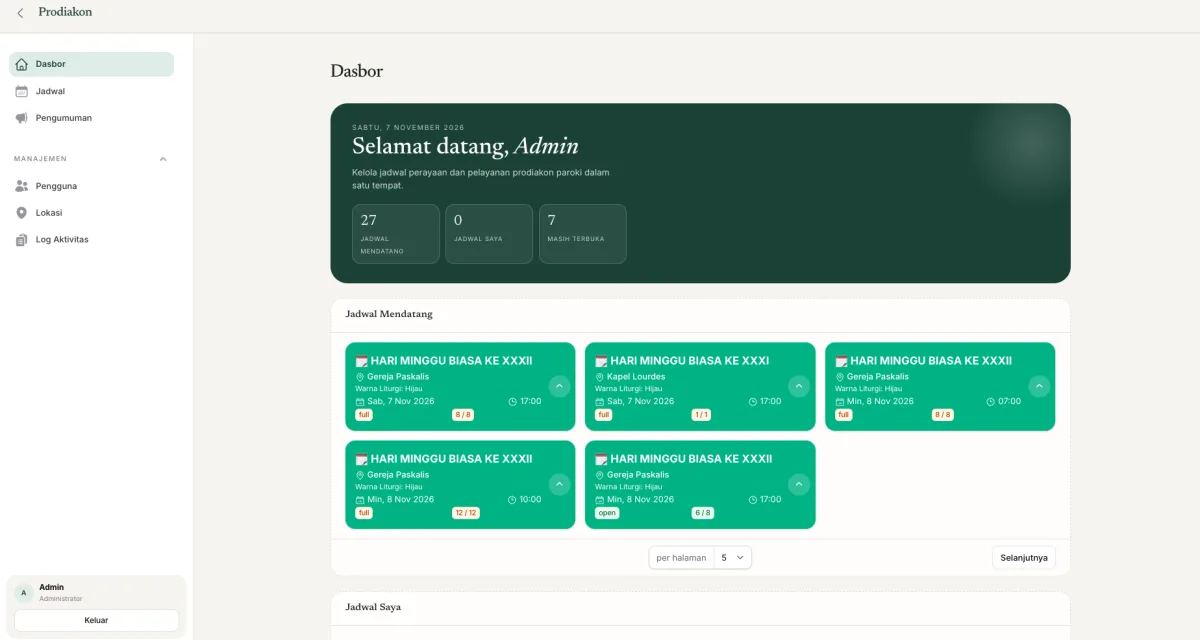
Overview
Simple Scheduler is a duty roster app for the Prodiakon, the lay ministers who assist at Mass in a Catholic parish. It replaces a spreadsheet and a WhatsApp group with one place where admins publish schedules and about 70 ministers can see their own, sign up for open slots, and add them to their calendar.
The first version has been in use since 2021. This is a rebuild on Laravel and Filament, with a cleaner domain model, an audit trail and tests.
The Problem
Before this, the roster lived in Excel and the schedule changes happened in a WhatsApp group. When someone couldn’t make it, they traded with another minister over chat, and the agreement existed only in the messages and in people’s memory.
That’s where it broke. A minister would forget they had swapped, and the schedule would end up short of people on the day itself. The admin had no way to see who was really on duty without scrolling back through the chat.
Core Concept
There are two roles:
Admin manages locations and schedules, sets how many people each schedule needs, and can override assignments when needed.
Member (minister) sees their own upcoming schedules, signs up for open ones, and can request an assignment that an admin approves or rejects.
How It Works
The admin creates a schedule with a date, time, location and required personnel.
The same date, time and location can’t be created twice.
Ministers sign up for open schedules, or admins assign people directly.
Once the quota is reached, the schedule shows as full and stops accepting sign-ups.
A set time before the start, the schedule locks for members. Admins can still override.
Assigned ministers get an email confirmation, and an email again if the schedule is cancelled.
One Detail I Like: Derived Status
A schedule’s status is not a field someone has to keep updated. Whether it is open, full or locked is computed on the fly from the number of assigned people, the required quota and the current time. Only the editorial states (draft, published, cancelled, completed) are set by hand.
That removes a whole class of bugs where a counter drifts out of sync with the real assignments. The lock window is a single config value (SCHEDULER_LOCK_MINUTES, 30 minutes by default), so changing the rule doesn’t need a code change.
What I Did
Modeled schedules, locations, assignments and assignment requests
Built the admin panel with Filament: schedule, location, user and announcement management
Added quota and lock-window rules at the model layer, so every path that assigns someone goes through them
Added conflict detection for overlapping schedules at the same location and for people booked twice on the same day
Built an audit trail for status changes and assignment changes, plus login activity
Added queued email notifications for assignment, forced release and cancellation
Built dashboard widgets (my upcoming schedules, open schedules) and an add-to-calendar download in Asia/Jakarta time
Added an announcement banner and a color tag for each schedule’s liturgical color
Redesigned the UI and upgraded the app to Laravel 13
Wrote about two dozen Pest tests covering lifecycle, locking, conflicts, audit logs and notifications
Impact
Simple Scheduler is used by around 70 ministers since 2021. Schedules are now more orderly, and the admin can follow every change from one place instead of piecing it together from chat history. Each minister can check their own upcoming duties at any time without asking anyone.
It’s an internal tool for one community, but it solves the exact problem it was built for: nobody has to rely on memory to know who is on duty.
Key Takeaways
Deriving state instead of storing it
Keeping business rules in one place so the UI can’t bypass them
Building admin-first with Filament and knowing when to stop
Writing the audit trail early, not after the first “who changed this?”